01
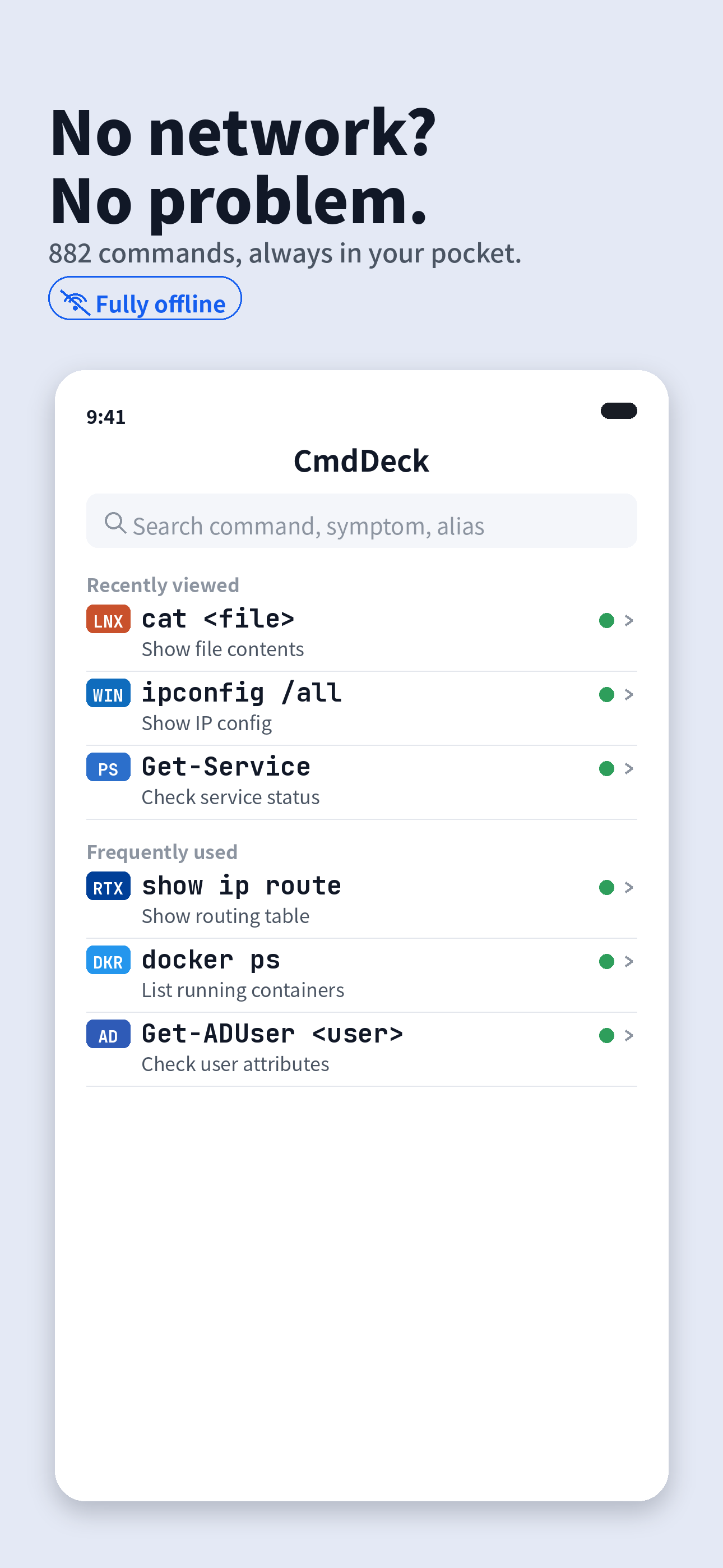
Fully offline
Outages, air-gapped rooms, locked-down sites — everything lives on device. No connection required.
 CmdDeck
Type what broke — “cannot connect to the network” — and the fix flow opens with every command in the order you run them. 882 commands, even with no connection.
Don't memorize — look it up. Six things built for IT work.
Outages, air-gapped rooms, locked-down sites — everything lives on device. No connection required.
Type it the way you would say it — “cannot connect to the network”, “printer not printing”. The fix flow opens with the commands to check, in order. You don’t need to remember what the command is called.
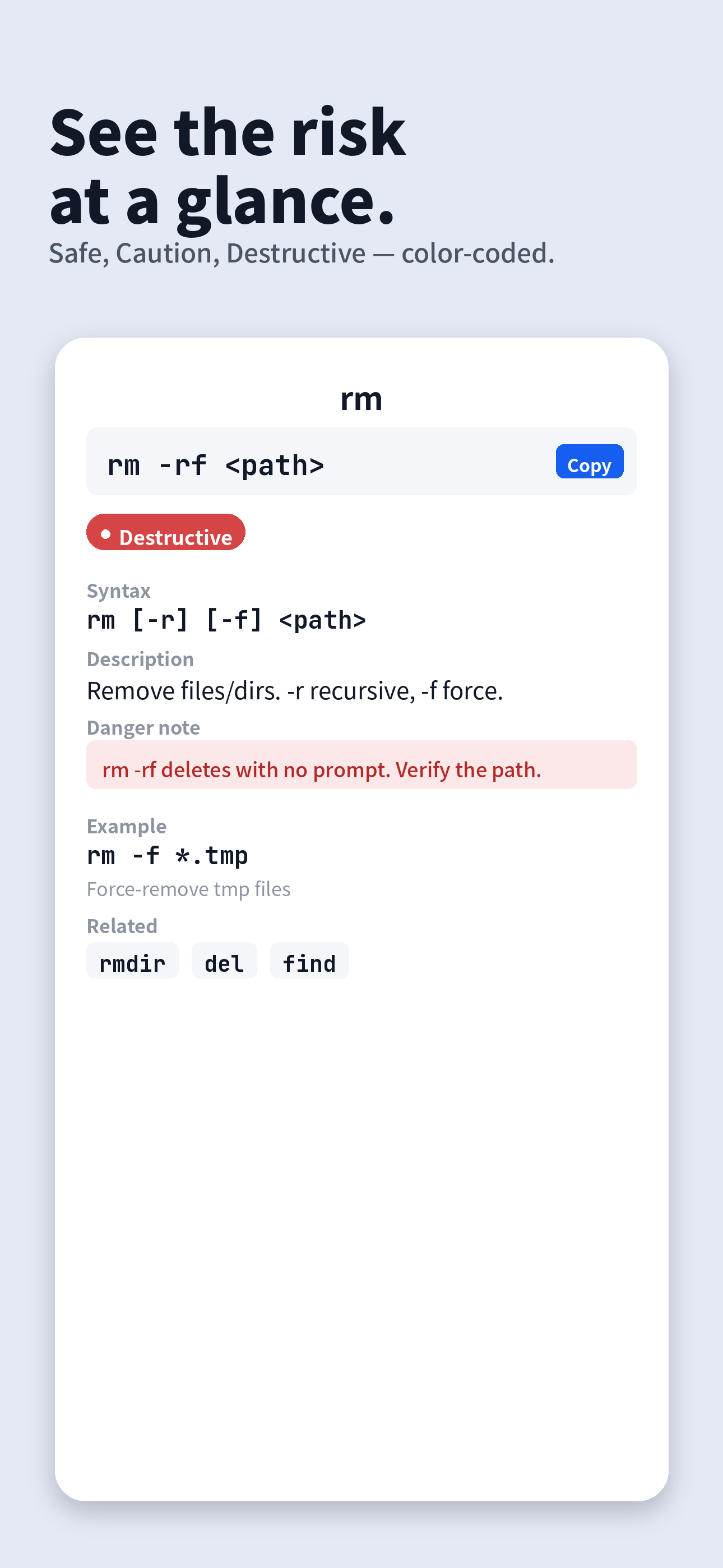
Safe, Caution and Destructive are color-coded so you catch irreversible operations before you run them.
Search by command, alias, common name or symptom. Copy in one tap, paste into your terminal.
Only the commands you actually use on the job.
WindowsPowerShellLinuxmacOSCiscoActive DirectoryGitMicrosoft 365YAMAHAFortiGateVirtualizationDockerKubernetesCloudSQLThe interface and symptom search work in English, Japanese, Spanish, German, French, Portuguese, Simplified Chinese, Traditional Chinese and Korean (command explanations are in English and Japanese). iPhone, iPad and Mac, with favorites and history synced via your own iCloud.
Light and dark. Large type that reads even in a dim server room.
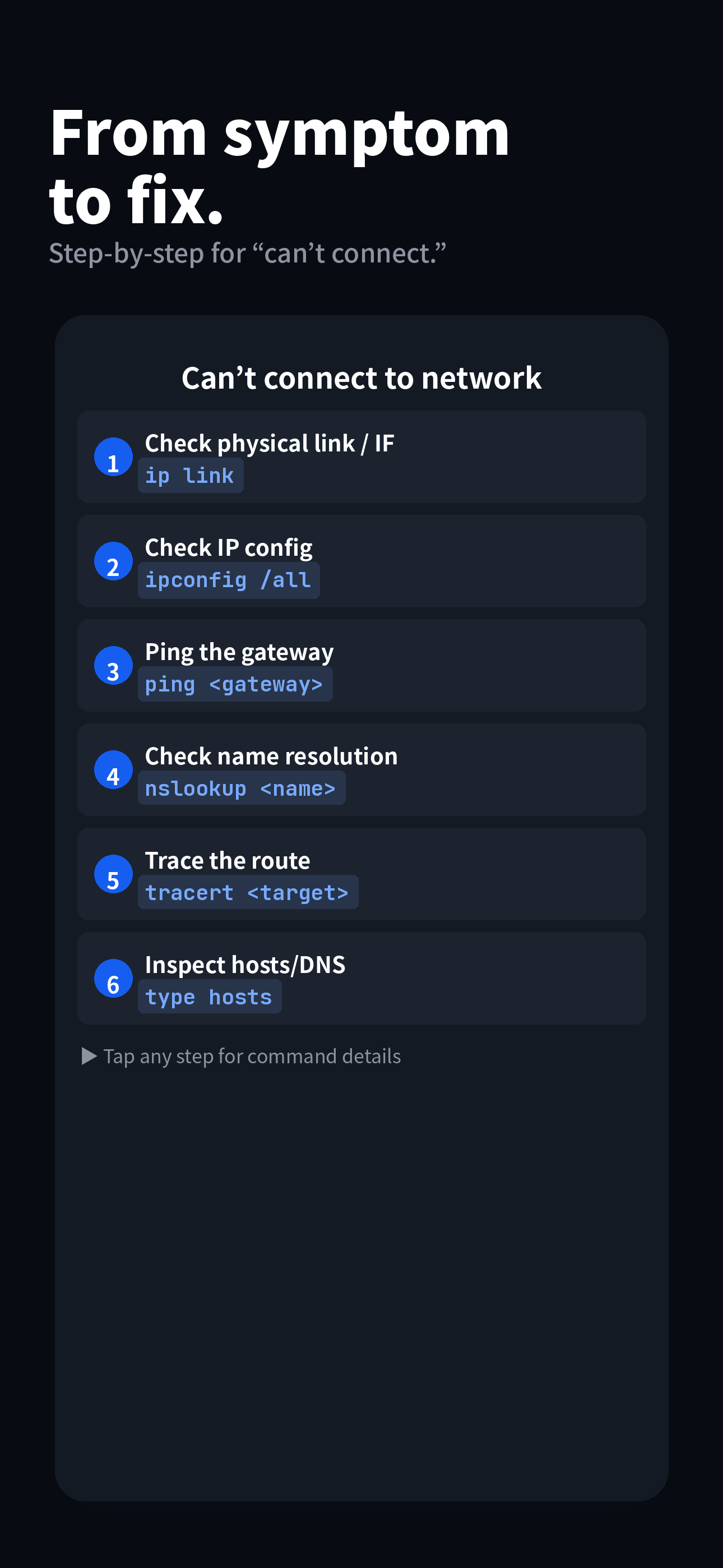
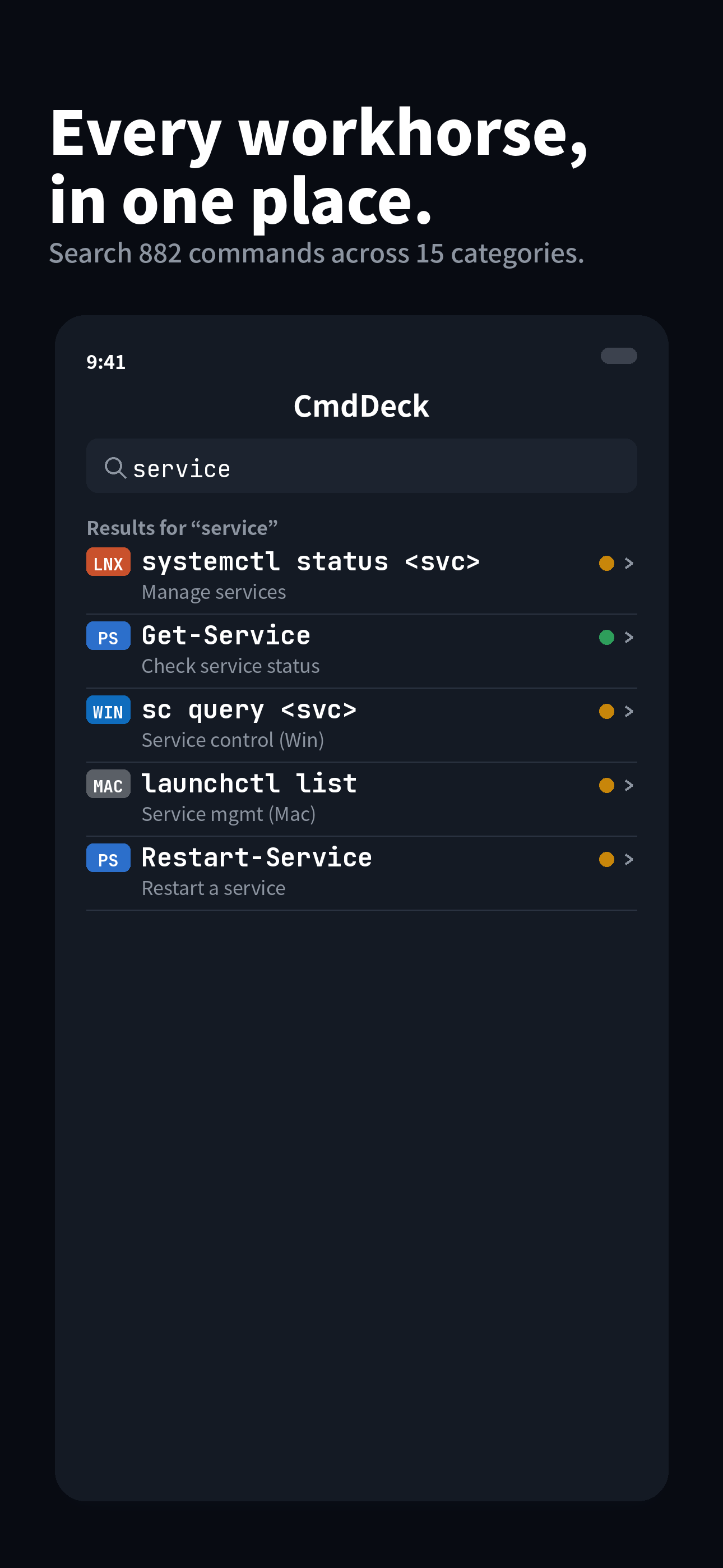
Type the symptom in plain words; the commands to check line up in order.
Plain words like “cannot connect to the network”.
Search by symptomThe commands to check appear in sequence.
ping <gateway>One-tap copy; check the danger level and run.
nslookup <name>Try it free, unlock everything once.
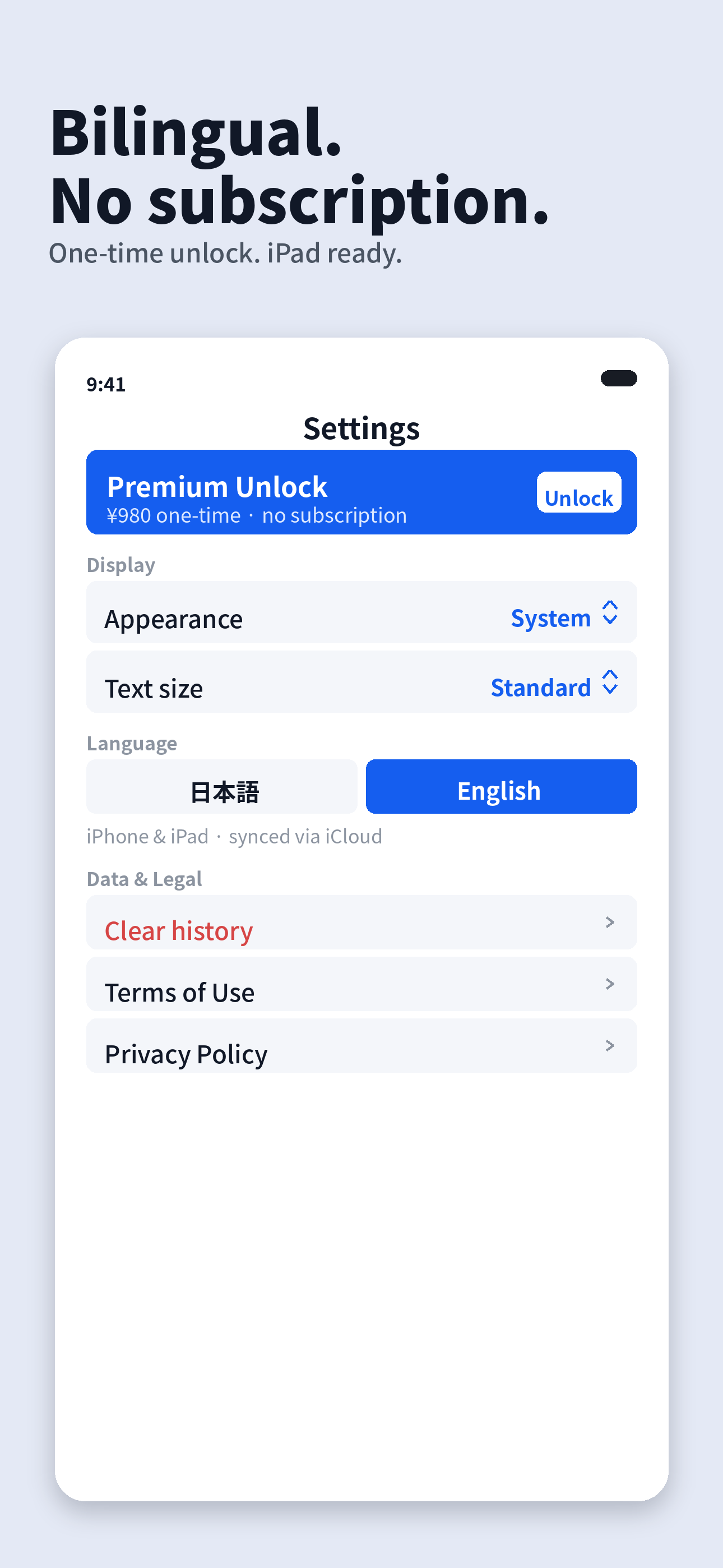
☕ No subscriptions. No seats. No renewals. Pay once, keep it for good.
Yes. Every feature runs on device; viewing and searching commands needs no connection.
No. There is only a one-time “Premium Unlock” — no monthly or yearly fees.
The interface and symptom search work in English, Japanese, Spanish, German, French, Portuguese, Simplified Chinese, Traditional Chinese and Korean. Command explanations are written in English and Japanese. The commands, syntax and examples themselves are language-independent.
iPhone and iPad, plus Apple Silicon Macs.
Searching, viewing and copying all 882 commands is free and uncapped, and so is symptom search. Two troubleshooting flows are fully unlocked, and for every other flow you can still read all the steps — what to check and in what order. Only the commands themselves and the field notes are Premium.
No. There are no analytics, ads or tracking, and the developer collects no data. Favorites and history stay in your own iCloud.
882 commands and 75 troubleshooting guides across 15 areas — Windows / PowerShell / Linux / macOS / Cisco / AD / Git / M365 / YAMAHA / FortiGate / virtualization / Docker / Kubernetes / Cloud / SQL.
It is provided for reference. Run commands at your own risk, ideally in a test environment and after taking backups.
Report a bug or request a command — we’d love to hear from you.
If the form doesn’t load, open it here
An indie iOS software house in a corner of the forest.